Keyboard Setup › Yamaha
Yamaha Tyros / PSR
Tyros series, PSR series (incl. PSR SX, PSR A5000)
The app sends the scale and transpose to the keyboard as SysEx.
Before you start: connect the keyboard to your phone (USB, Bluetooth or network MIDI) and select Yamaha Tyros / PSR in the app's keyboard list. Turn Local Control off on the keyboard.
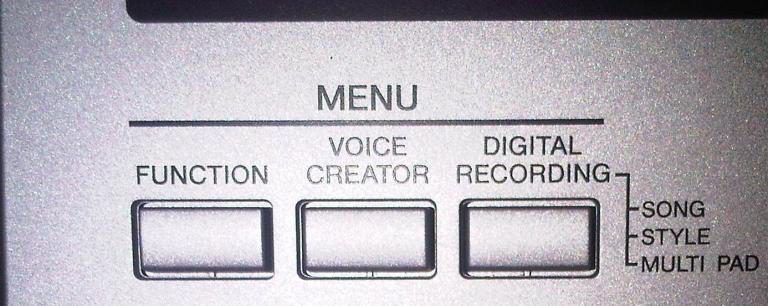
- 1Open the MIDI function
Press FUNCTION, then select MIDI.
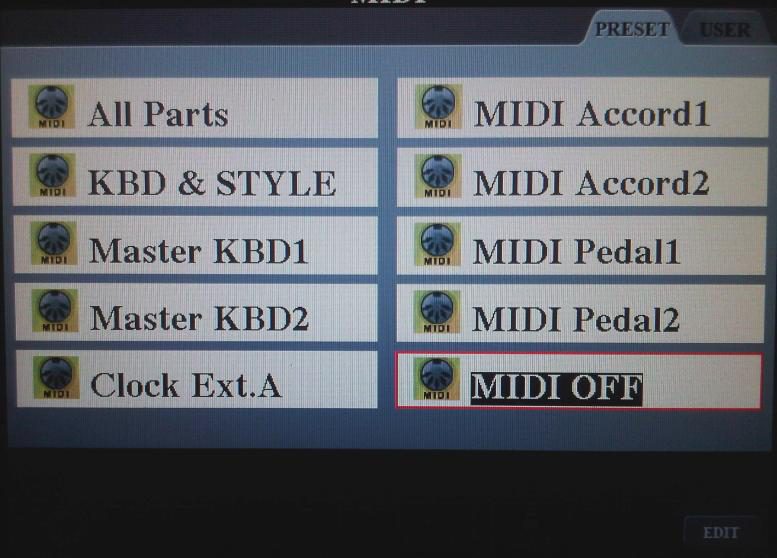
- 2Pick MIDI OFF and press EDIT
Choose the MIDI OFF template as a clean starting point and press EDIT.
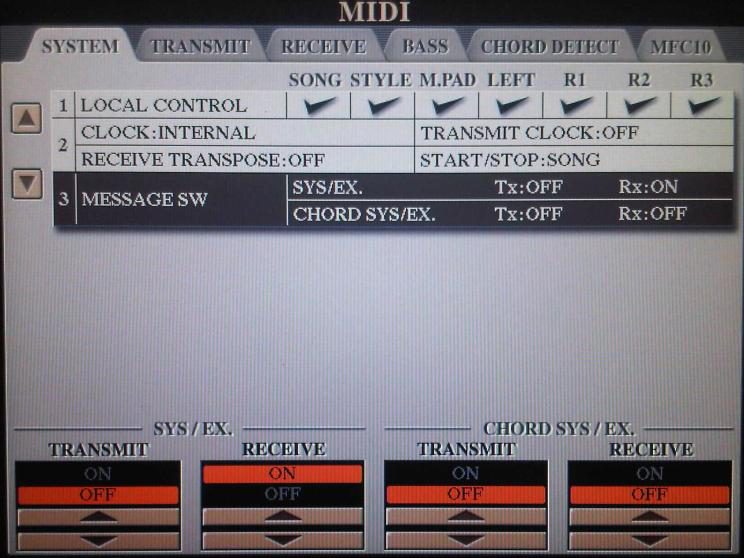
- 3Enable SysEx receive
On the System tab, set SYS/EX. Rx to ON.
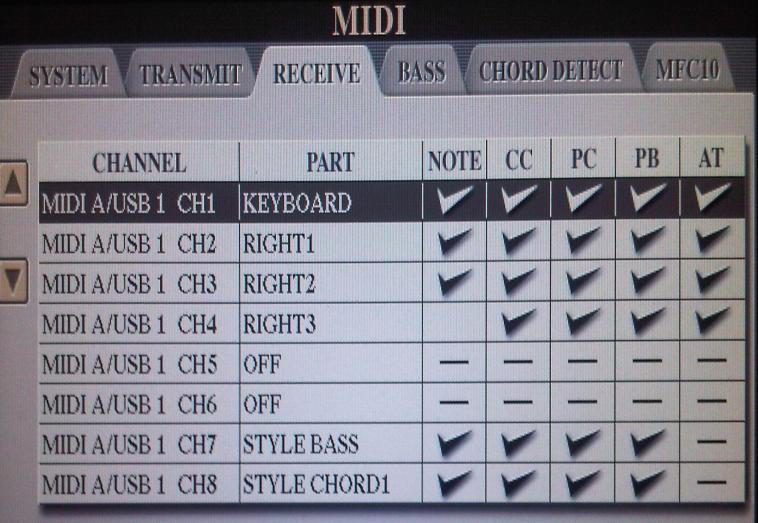
- 4Assign parts to channels
Open the RECEIVE tab and assign each PART to the MIDI A / USB 1 channel the app sends on, so notes reach the sounds you play (Main = Ch 1, Right 1 = Ch 2, etc.).
- 5Save as a User setup
Press EXIT, open the USER tab, name the setup (for example "SSC") and SAVE.
Notes
- Many Yamaha keyboards route MIDI In to the Song/sequencer by default; the Receive step above fixes that.
- Choose "Yamaha PSR Series", "Yamaha PSR A5000" or "Yamaha Tyros" in the app. Turn Local Control off on the keyboard.
Need help? Contact us.