Keyboard Setup › Yamaha
Yamaha Genos
Yamaha Genos
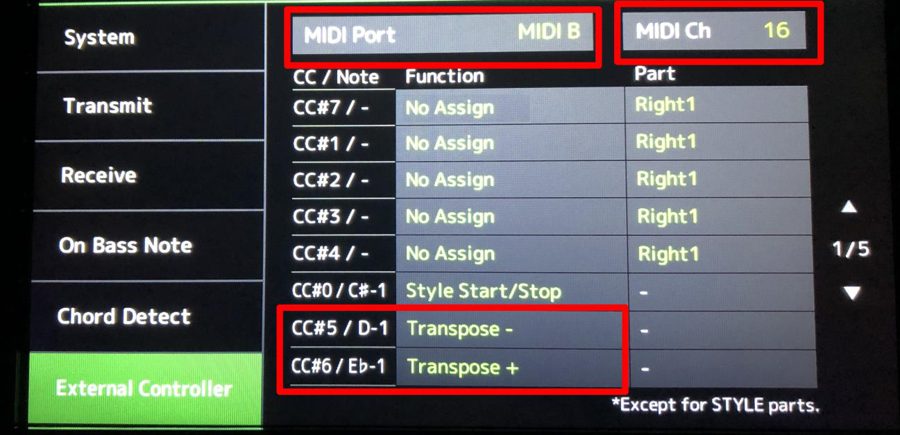
Scale is sent as SysEx; transpose is sent as CC#5 (down) and CC#6 (up) on MIDI channel 16.
Before you start: connect the keyboard to your phone (USB, Bluetooth or network MIDI) and select Yamaha Genos in the app's keyboard list. Turn Local Control off on the keyboard.
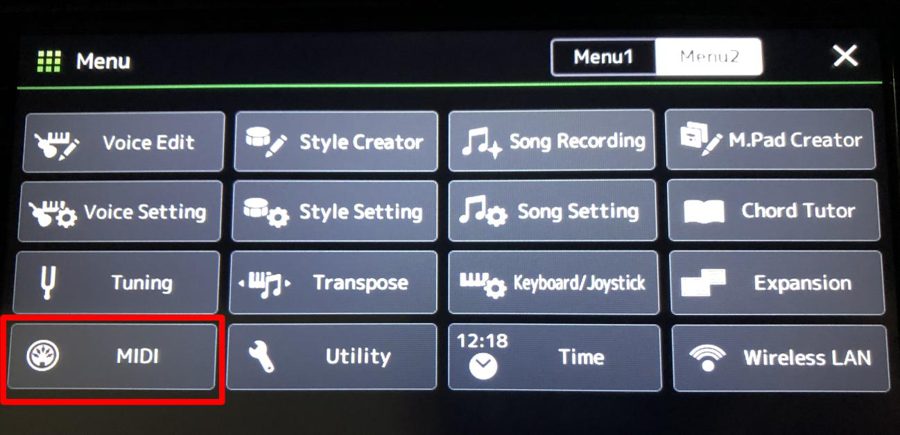
- 1Open MIDI
Press MENU, touch Menu 2, then MIDI.
- 2Enable SysEx receive
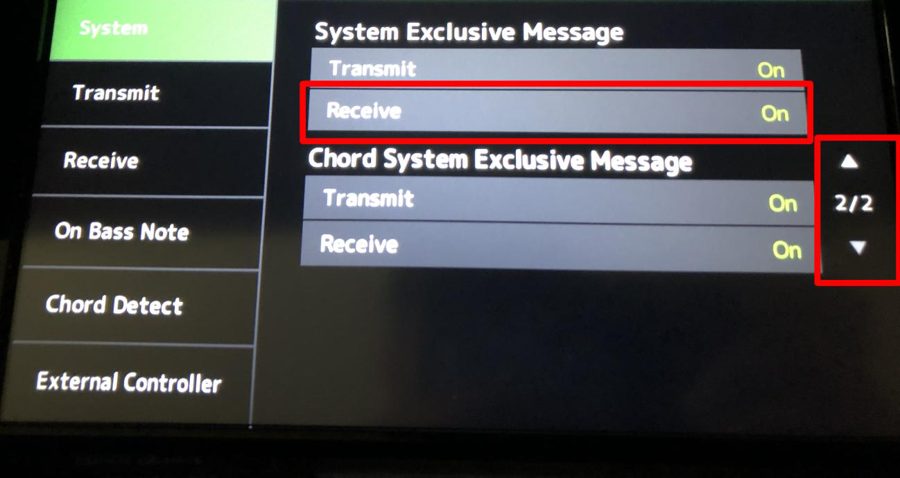
Select System, go to page 2/2 and set System Exclusive Message → Receive to On.
- 3Set up Receive channels
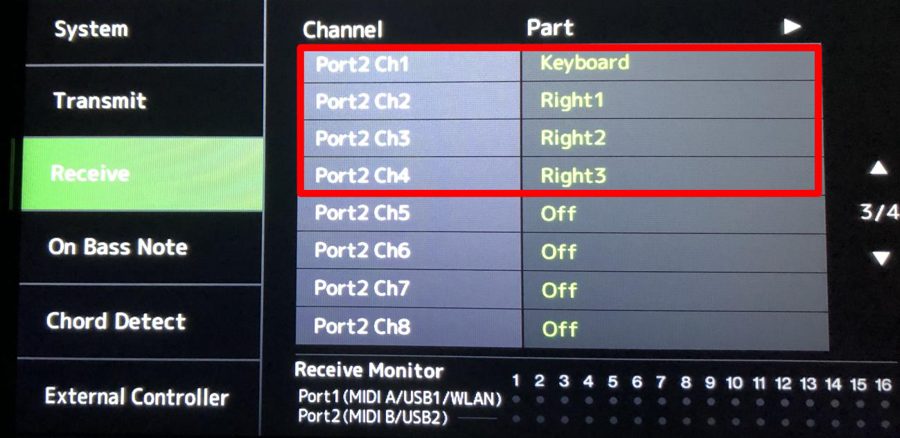
Open Receive and assign the parts for Port 2 Ch 1–4: Keyboard, Right 1, Right 2, Right 3.
- 4Map transpose on External Controller
Open External Controller. Set MIDI Port to MIDI B and MIDI Ch to 16. Assign CC#5 → Transpose − and CC#6 → Transpose +.
- 5Save the MIDI setting
Touch Save and store it as your own MIDI template (for example "SSC Transpose").
Notes
- Connect the app to the Genos MIDI B / USB 2 input.
- Choose "Yamaha Genos" in the app.
Need help? Contact us.