Keyboard Setup › Korg
Korg Trinity V3
Trinity V3 (and Trinity with firmware 3.0+, including Bank M / MOSS)
The app uses pitch bend to retune notes on the Trinity, which plays mono / mono-legato. Up to 10 voices are possible in equal temperament.
- 1Global P1
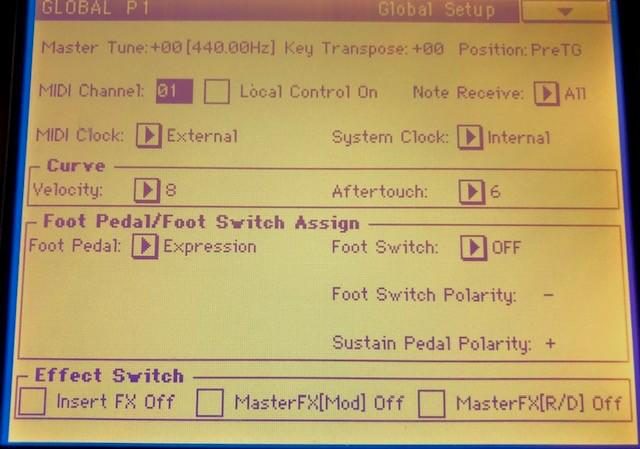
Press GLOBAL, then P1. Key Transpose +00, Position PreTG, MIDI Channel 1, and uncheck Local Control On.
- 2Global P2 filters
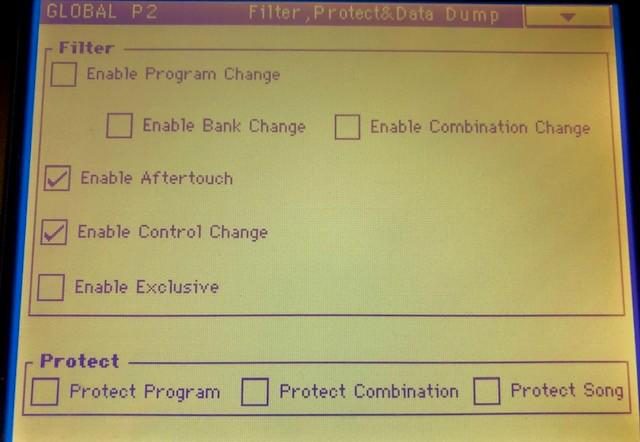
Uncheck Enable Program Change, Bank Change, Combination Change and Exclusive. Check Enable Aftertouch and Enable Control Change.
- 3Reset the User Scale
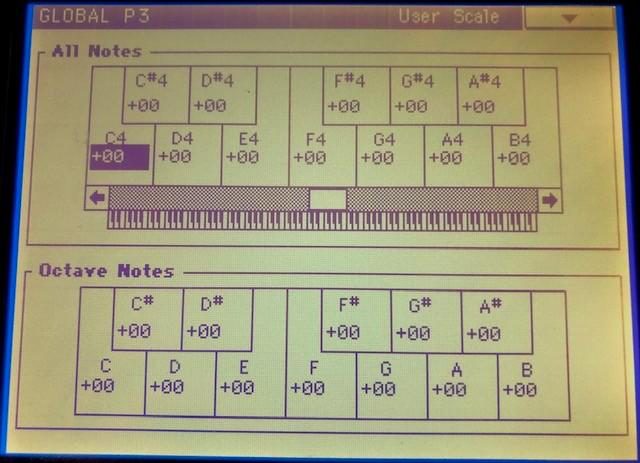
Global P3: set every Octave Note (C to B) to +00.
- 4Programs, banks A–D: OSC1
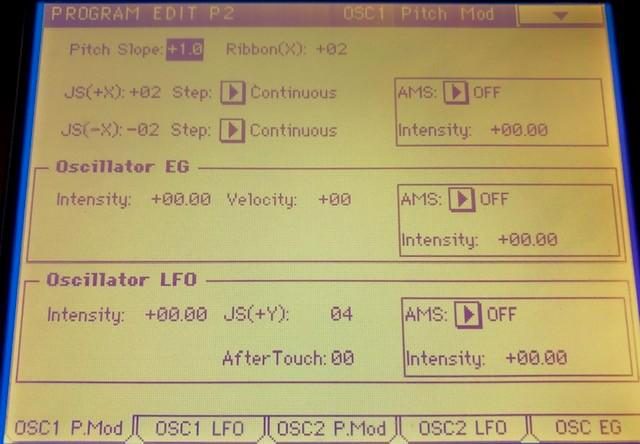
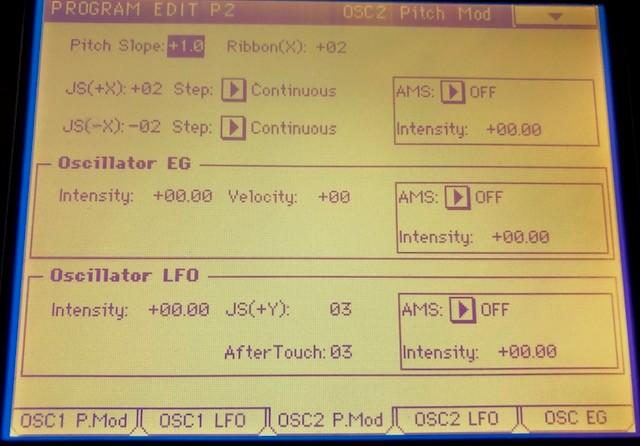
Press EDIT, then P2, touch OSC1 P.Mod. Set JS(+X) to +2 and JS(−X) to −2, Step = Continuous.
- 5Programs, banks A–D: OSC2
Same page for OSC2 P.Mod: ±2, Continuous. Then Write the Program. Power-off or selecting another Program before writing loses the edit.
- 6Bank M (MOSS)
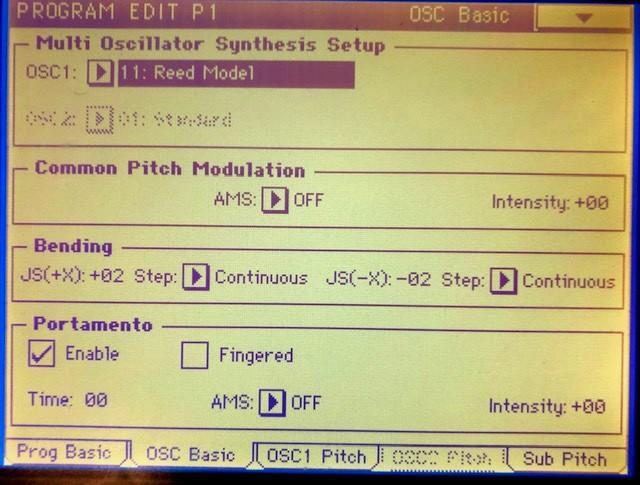
EDIT → P1 → OSC Basic: set Bending JS(+X) +2 and JS(−X) −2, Step = Continuous, then Write.
- 7Bank M reed and brass
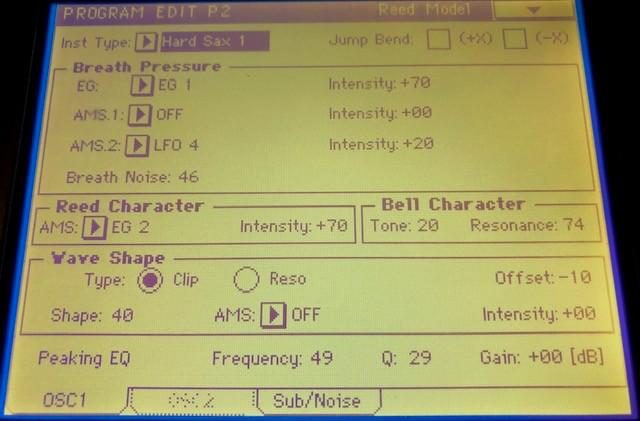
EDIT → P2 → OSC 1: uncheck both Jump Bend boxes (+X) and (−X), then Write.
- 8Combinations A–D
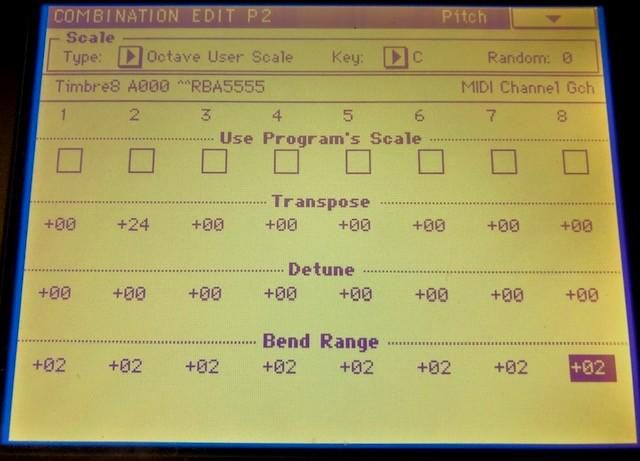
EDIT → P2: set Bend Range to +2 on every timbre that needs it, then Write the Combination.
Notes
- If some sounds are out of tune, check the bend range is ±2 and the Jump Bend boxes are unchecked.
- In polyphonic play, shorten Decay, Release or Sustain to avoid out-of-tune tails.
- Choose "Korg Trinity V3" (pitch bend) in the app. "Korg Trinity Global" is the SysEx-based entry.
Need help? Contact us.