Troubleshooting
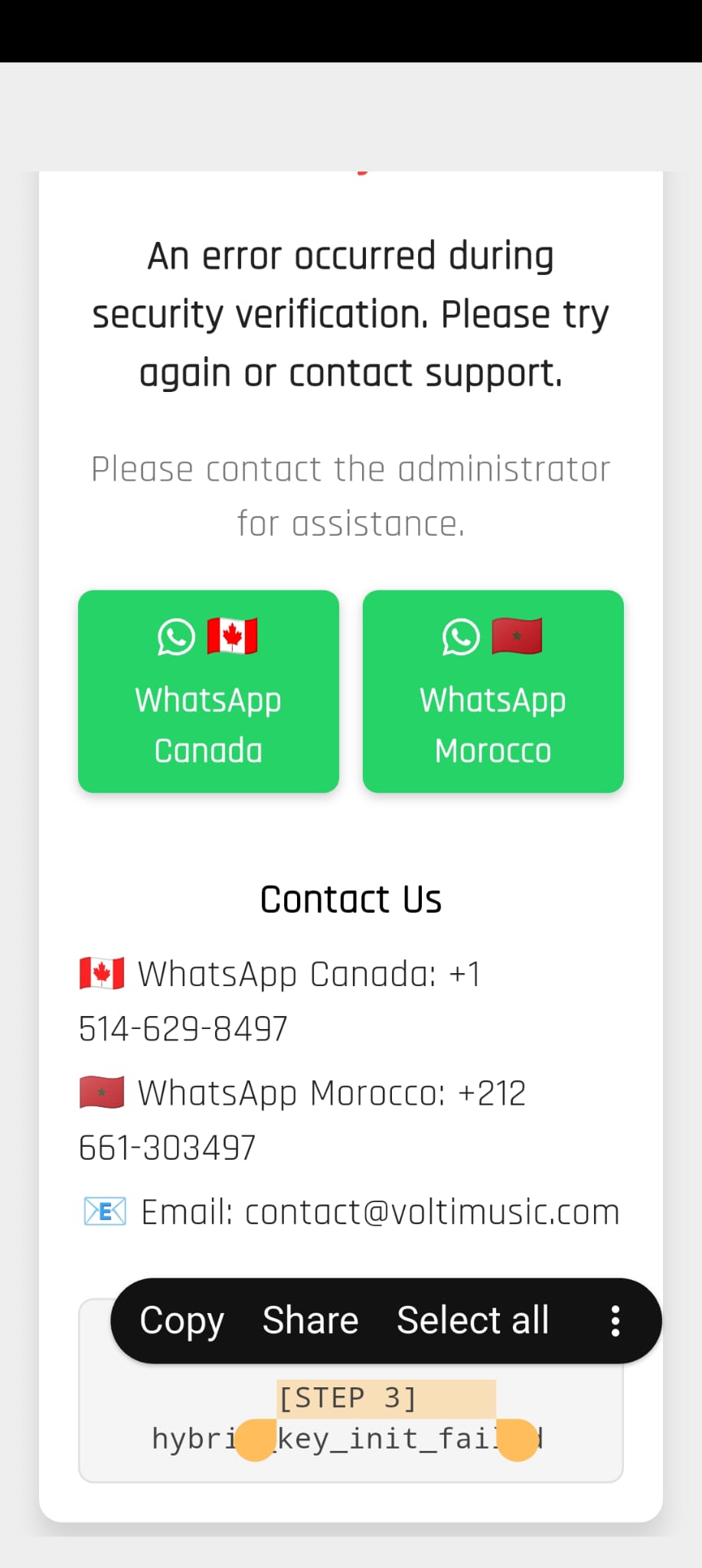
Fix “[STEP 3] hybrid_key_init_failed”
The app shows “An error occurred during security verification”. It means the app could not save or read its security key on your phone.
Before you start
- Check that your phone has a working internet connection (the key is downloaded on first start).
- Update the app to the latest version in Google Play, then try again.
- Restart your phone. If the error is still there, follow the steps below.
Solution: clear the app data
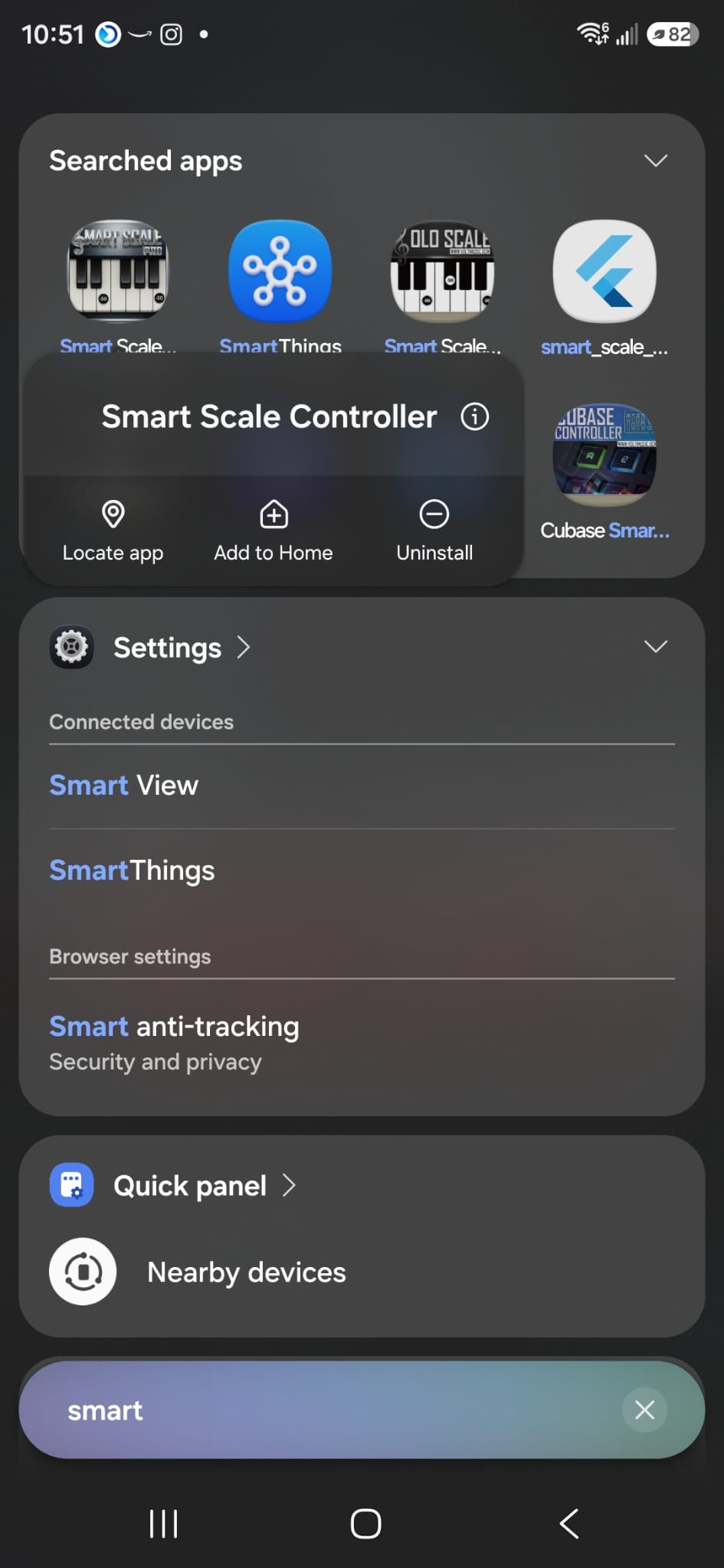
1. Open the app info
On Android, long-press the Smart Scale Controller icon (home screen or app drawer) and tap the ⓘ info icon.
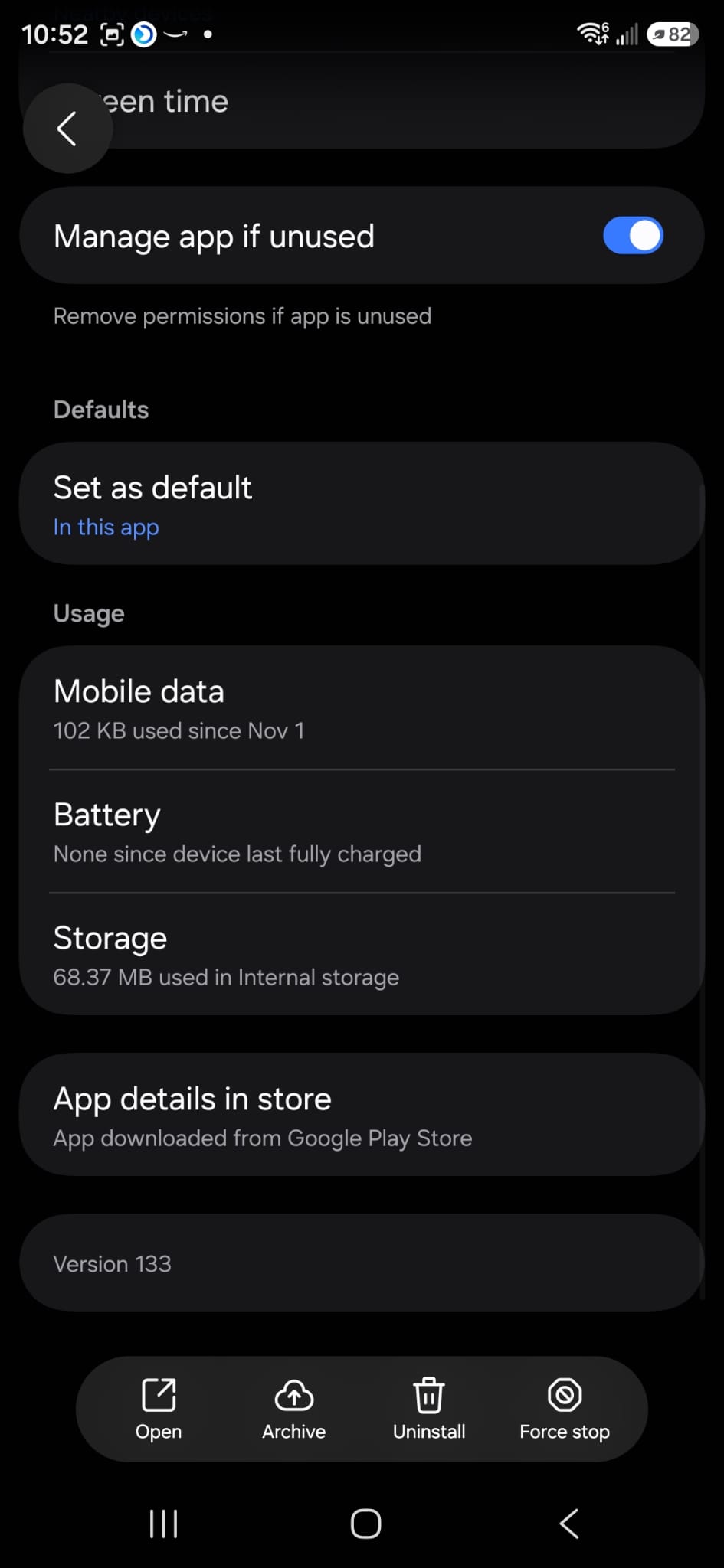
2. Open "Storage"
In the app info screen, scroll down and tap Storage.
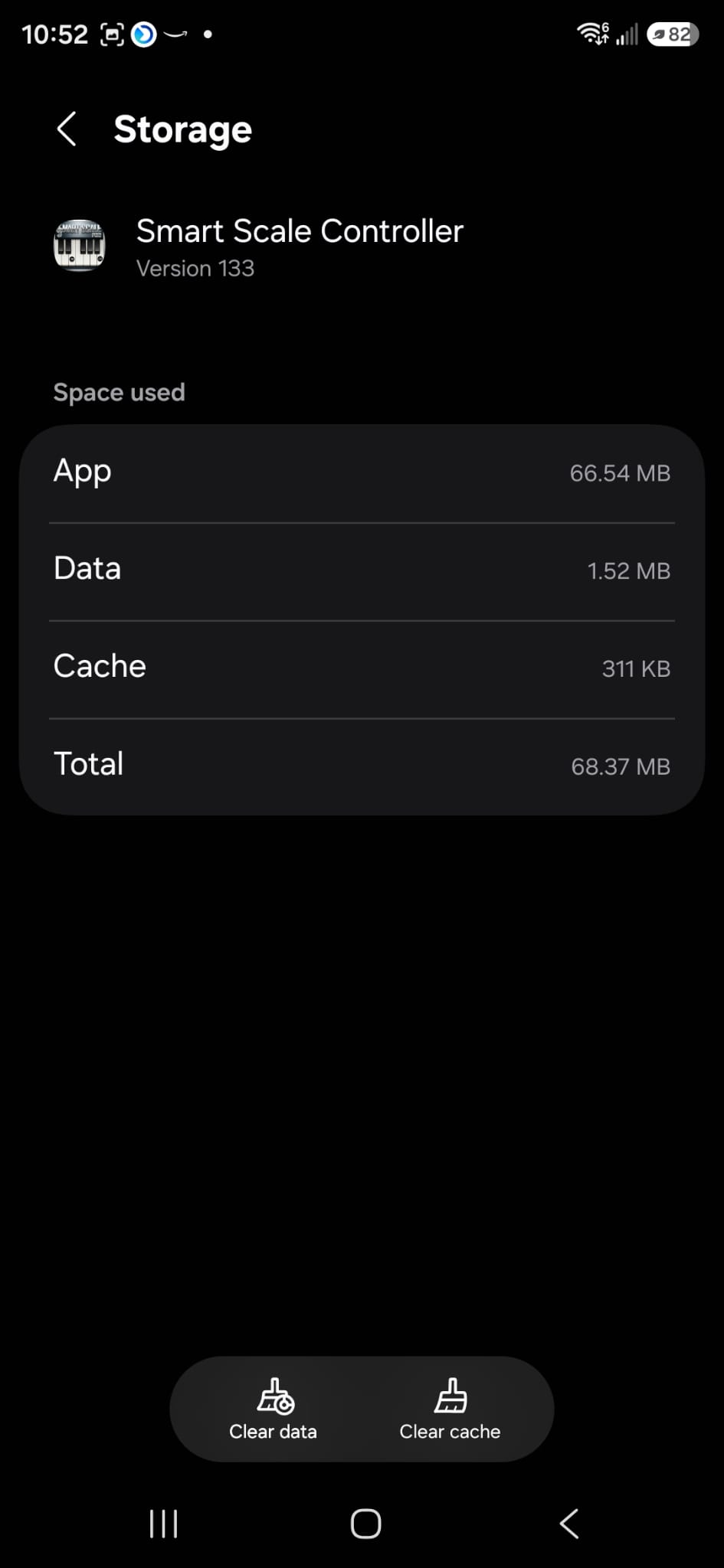
3. Tap "Clear data"
Tap Clear data, then confirm. This resets the app's secure storage. Your purchase is linked to your Google account, not to this data.
4. Reopen the app with internet on
Make sure Wi‑Fi or mobile data is on, then launch the app. It will download its security key again and start normally.
Still not working?
Uninstall the app, restart the phone, and install it again from Google Play. If the error remains, contact us and include the code [STEP 3] hybrid_key_init_failed and your phone model.